
Photoshop Express Photo Editor
AdobePhotography
4.658.74K Reviews
- Version
- 18.5.45
- Installs
- 100.00M
- Age Rating
- Everyone
Screenshots
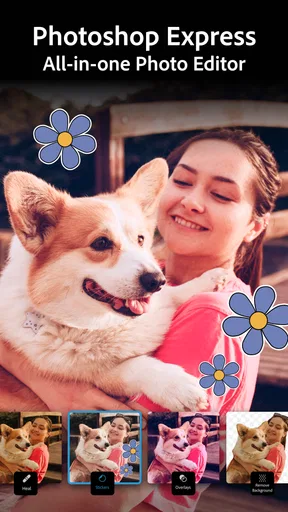
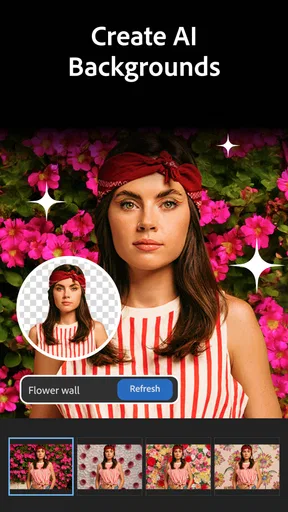
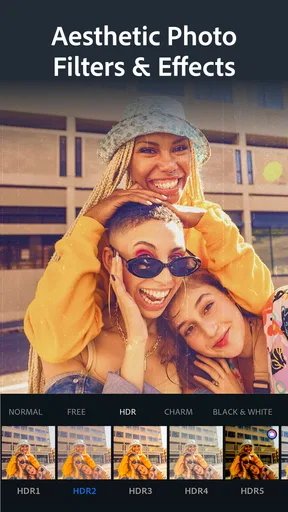
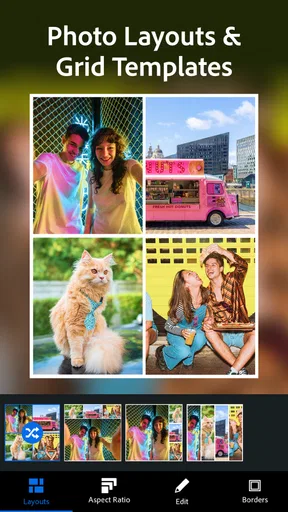
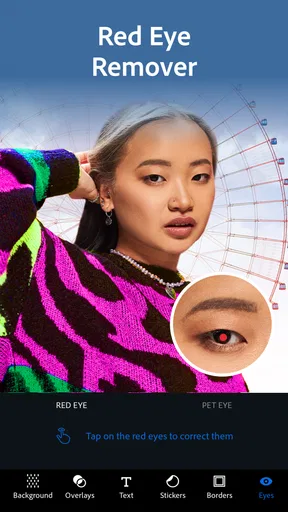
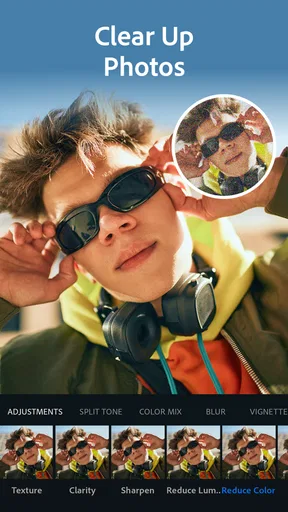


Our Review of Photoshop Express Photo Editor
 Analysis by Appyee
When I’m editing on a phone, the point is usually to finish a photo while I still care about it, not to turn a quick adjustment into a project. That makes connectivity part of the experience: browsing for an effect, signing in, or sharing a finished image can involve the network, while the actual edit is only one piece of the process. I like Photoshop Express Photo Editor most as a convenient, capable editor for everyday images, with the sensible caveat that I plan around the occasional online step rather than assuming every part of the workflow will be available anywhere.
Getting Started with Photoshop Express
First off, let’s talk about getting started. Downloading and installing the Photoshop Express Photo Editor was a breeze. Available on both Android and iOS, it’s super accessible. Once I fired it up, I was greeted with a simple, intuitive interface. No need to be a tech wizard here — everything is pretty straightforward. The app gives you a quick rundown on its features which I found really handy.
When the network becomes part of editing
The app is made by Adobe, and its tools bring a familiar photo-editing approach to a mobile screen: start with a picture, make a few corrections, then decide whether it is ready to keep or share. A network connection matters most around the edges of that simple flow. If an effect or service needs to load, or if I’m sending the result to an online destination, a weak connection can turn a quick task into a wait. I try the basic adjustments first when I’m in a hurry and leave browsing or sharing until the connection is steady.
That distinction is useful because editing and publishing are not the same job. A photo can be improved for my own camera roll without needing to post it immediately, while a social post may depend on getting through a separate sharing step. I don’t treat the presence of a share option as a guarantee that every destination will behave identically; apps and services can change how they connect. If the image matters, I save a finished copy where I can find it before moving on to posting.
Features That Stand Out
The feature set is what really sets this app apart. From basic adjustments like cropping and rotating to more advanced tools like blemish removal and noise reduction, it’s all here. One feature I particularly love is the one-touch filters. They’re perfect for those days when you’re feeling a bit lazy but still want your photos to look top-notch. I tried the ‘Vivid’ filter, and it instantly transformed a dull landscape into something Instagram-ready.
Additionally, the app offers a fantastic selection of borders and frames, giving your photos that extra touch of flair. And if you’re into collages, you’re in luck! Putting together multiple images is as easy as pie. It’s like having a scrapbook without the glue and scissors.
Useful habits for phone-sized workflows
One practical trick is to crop before spending time on fine corrections. A tighter composition can make a distracting background less noticeable, and it helps me judge whether a filter is actually improving the subject or merely making the whole image louder. I also compare the edited version with the original before saving: a strong filter can look appealing at first glance but push skin tones or skies farther than I intended. For a photo I want to reuse in different places, I keep the treatment restrained and add decorative borders only to a copy meant for a specific post.
Collages have a different trade-off from single-image edits. They work well for a small recap—say, a few pictures from a family gathering—when one image cannot tell the whole story. But a collage compresses each photo into a smaller space, so I choose images with clearly different moments rather than several nearly identical shots. That makes the result easier to read on a phone and avoids spending time arranging pictures that do not add anything new.
Editing Like a Pro
For those of us who like to dig a little deeper, the app doesn’t disappoint. The advanced editing tools are where you can really flex your creative muscles. I spent some time tweaking the contrast and shadows on a sunset photo, and the results were phenomenal. The ability to adjust clarity and dehaze is another big win, especially for outdoor shots. And let's not forget about the text tool — it’s perfect for adding witty captions or quotes directly onto your photos.
One of my favorite aspects is the ability to work with RAW files. If you’re serious about photography, this is a major plus. It means you can retain all those minute details and make precise edits without losing quality.
Mobile moments, limits, and alternatives
A realistic use for me is fixing a travel photo while waiting for a ride: straighten the horizon, lift the shadows on a face, reduce a little noise, and save a cleaner version before the moment passes. That is where a phone editor has an advantage over sitting down at a computer later. It is also a good fit for a small business owner who needs to tidy a product image or add simple text before sharing. For those jobs, Photoshop Express offers more control than the basic edit tools built into a phone’s gallery, without asking me to learn a full desktop workflow.
It is not the right choice for every photographer. If I need detailed layer work, carefully masked selections, or a repeatable editing process across a large batch, I would move to a more specialized desktop editor. If I only want to brighten a picture and crop it once, the phone’s built-in editor may be quicker and involve fewer steps. Photoshop Express sits between those options: deeper than a basic gallery tool, but better suited to individual mobile edits than to complex production work.
RAW support is valuable, but it does not make a phone screen or a compact workflow a substitute for careful desktop finishing. I use it when I want room to adjust a demanding image, then check the result at a sensible viewing size rather than assuming every tiny detail is perfect. If color accuracy is important, I avoid making a final judgment from a screen whose brightness or display setting changes the way the photo looks.
Sharing and Saving Made Easy
Once you’ve perfected your masterpiece, sharing it with the world is just a tap away. The app integrates seamlessly with social media platforms like Facebook and Instagram. I also appreciated the option to save directly to my device or cloud storage. It’s all about convenience, and Photoshop Express nails it.
For a dependable everyday routine, I separate finishing from sharing. I save the edited image first, check that it appears in the place I expect, and only then send it onward. That is especially helpful if I am working on a weak mobile connection or moving between Wi-Fi and cellular service. If a share attempt stalls, I do not keep repeating the same tap immediately; I check whether the edited copy is already saved, then retry once the connection is stable. This reduces the chance of losing track of which version I meant to post.
Data-conscious editing and recovery
When I want to be mindful of data use, I do the image work before opening extra online steps and avoid repeatedly loading effects just to compare tiny variations. I also make a clear choice about the final file: keep a version for my own archive, or prepare a separate copy for social sharing. That small bit of organization is more useful than editing the same picture from scratch later, especially when I have several photos from one outing.
If something appears slow or fails during a connected action, I first distinguish a network hiccup from an editing problem. I check whether the image itself is still available in the editor or saved to my device, then try the online action again when the connection improves. I would not assume that an unfinished upload or share has completed just because the screen stopped changing. Confirming the result at the destination is a simple safeguard for anything I need to send promptly.
Final Thoughts
So, is Photoshop Express Photo Editor worth your time? Absolutely. Whether you’re a casual photo enthusiast or a serious shutterbug, this app has something for everyone. It combines ease of use with powerful features, making it a standout choice in the crowded field of photo editing apps. Plus, it’s free to use with optional in-app purchases, so you can try before you buy.
It is free to download, with optional in-app purchases ranging from $2.99 to $99.99 per item, so I would treat paid options as something to consider only after the free workflow suits my needs. The app is rated for Everyone, and its current version is 17.9.22. Its 4.6 average from around 2.6 million ratings, alongside more than 100 million installs, suggests that it has reached a broad audience, though popularity alone cannot tell you whether its editing style fits yours. Adobe has a substantial presence in photo tools, but this mobile editor is still most useful when I want a quick, hands-on result rather than a full desktop session.
In a nutshell, if you’re looking to elevate your photo game with minimal effort, give Photoshop Express a whirl. It’s like having a mini Photoshop right in your hand, and who wouldn’t want that?
My connectivity verdict is straightforward: this is a strong choice when I can edit on the move and save my work before relying on online sharing. It suits casual photographers, travelers, and anyone who wants more than basic cropping without carrying a laptop. I would skip it if I need advanced, repeatable desktop controls or if I want only the fastest possible one-tap fix. For everyone in between, it offers a practical balance—provided I treat a stable connection as helpful for connected moments, not as something to take for granted.
Privacy and Permissions
See what permissions an app requests and how it handles your data.
- Identity
- find accounts on the device
- Contacts
- find accounts on the device
- Location
- precise location (GPS and network-based)
- Phone
- read phone status and identity
- Photos/Media/Files
- read the contents of your USB storage, modify or delete the contents of your USB storage
- Storage
- read the contents of your USB storage, modify or delete the contents of your USB storage
- Camera
- take pictures and videos
- Wi-Fi connection information
- view Wi-Fi connections
- Device ID & call information
- read phone status and identity
- Other
- view network connections, full network access, run at startup, reorder running apps, set wallpaper, use accounts on the device, control vibration, prevent device from sleeping
How Photoshop Express Photo Editor Compares
Full ComparisonChoose Picsart for varied photo and video creativity, Photoshop Express for quick, approachable edits, or Lightroom for deeper color work and edits that preserve originals.
| App | Developer | Rating | Price |
|---|---|---|---|
 Picsart AI Photo Editor, Video | PicsArt, Inc. | 3.9 | Free |
 Photoshop Express Photo EditorThis App | Adobe | 4.6 | Free |
 Lightroom Photo & Video Editor | Adobe | 4.5 | Free |
Verdict
Strengths of Photoshop Express Photo Editor
- User-friendly interface for quick edits.
- Wide range of filters and effects.
- Supports various image formats.
- In-app tutorials for beginners.
- Fast export and sharing options.
Limitations of Photoshop Express Photo Editor
- Limited advanced editing features.
- Some tools require in-app purchases.
- Occasional app crashes reported.
- No RAW image editing support.
- Ads can be distracting in free version.
Other Releases by Adobe
View All
Adobe Acrobat Reader: Edit PDF
Productivity4.5

Adobe Scan AI PDF Scanner, OCR
Business4.6

Lightroom Photo & Video Editor
Photography4.5

Adobe Express: AI Photo, Video
Art & Design4.6
Similar Picks in This Category
View All
Google Photos
Google LLC4.4

Gallery
Google LLC4.2

Picsart AI Photo Editor, Video
PicsArt, Inc.3.9

B612 AI Photo&Video Editor
SNOW Corporation4.1

BeautyPlus-Selfie Photo Editor
PIXOCIAL TECHNOLOGY (SINGAPORE) PTE. LTD.4.5

Remini - AI Photo Enhancer
Bending Spoons4.1
You May Also Like
View All


Frequently Asked Questions
What features does Photoshop Express Photo Editor offer?
Photoshop Express Photo Editor offers a wide range of features, including basic editing tools like crop, rotate, and straighten, as well as advanced options such as blemish removal, red-eye correction, and noise reduction. It also provides filters, effects, and a collage maker, making it a versatile tool for both beginners and seasoned photographers.
Is Photoshop Express Photo Editor free to use?
Yes, Photoshop Express Photo Editor is free to download and use. However, it does offer in-app purchases for premium features. Users can access additional tools, like advanced healing and selective editing, through a paid subscription, which enhances the app's functionality for professional-grade editing.
Does Photoshop Express Photo Editor support RAW file formats?
Yes, Photoshop Express Photo Editor supports RAW file formats, allowing users to edit high-quality images directly from their cameras. This is particularly beneficial for photographers who want to maintain image quality while making detailed adjustments to their photos. Compatibility with RAW files ensures a professional editing experience.
Can I use Photoshop Express Photo Editor offline?
Photoshop Express Photo Editor requires an internet connection for certain features, such as accessing premium content and syncing with Adobe Creative Cloud. However, basic editing tools and features are available offline, allowing users to edit photos without needing a constant internet connection, making it convenient for on-the-go editing.
What platforms is Photoshop Express Photo Editor available on?
Photoshop Express Photo Editor is available for both Android and iOS devices, ensuring a wide range of accessibility. Users can download it from the Google Play Store or Apple App Store. Its cross-platform availability allows users to edit photos seamlessly across their smartphones and tablets, providing flexibility in photo editing.
